
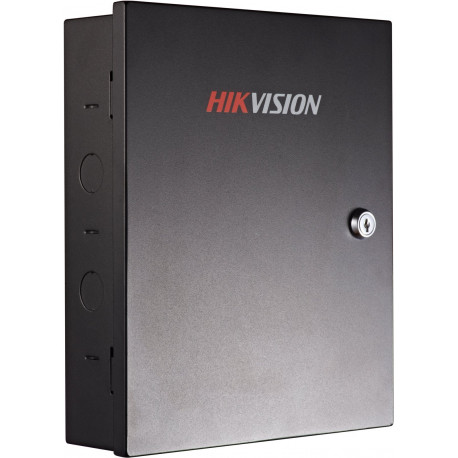
HIKVISION DS-K2802 TCP/IP Access Controller - 2 Door 4 Readers ( Wiegand )
10,000 cards and 50,000 event storage
One door access control
Communication via TCP/TP
Alarm input/output and alarm event upload
Wiegand interface for accessing card reader

Hikvision DS‑K2802 – Value Series 2‑Door Network Access Controller.
The Hikvision DS‑K2802 is a robust network access control panel designed to securely manage access for up to two doors with flexible reader support and essential security features. Part of Hikvision’s Value Series, this controller offers reliable digital access control suitable for commercial buildings, offices, and medium‑scale installations.
Equipped with network communication via TCP/IP, the DS‑K2802 integrates with standard Wiegand‑based RFID readers and management software such as Hikvision iVMS‑4200. With support for multiple inputs and outputs, it enables complete control of locks, alarm signals, door sensors, and exit buttons, while storing large volumes of user credentials and event logs for effective system administration.
Key Features:
Network access controller for up to 2 doors (Value Series)
Communication: TCP/IP network interface for central management and remote monitoring
Reader support: Up to 4 Wiegand readers (W26/W34) for entry/exit authentication
Capacity: Stores up to 10,000 cards and 50,000 access events
Inputs: 2 × door sensors, 2 × exit buttons, 2 × auxiliary inputs
Outputs: 2 × lock relays, 2 × alarm relays (configurable NO/NC)
Advanced functions: Anti‑passback, multi‑card management, first‑card opening (via compatible software)
Supports RFID formats: 125 kHz and 13.56 MHz (via appropriate readers)
Management software: Compatible with Hikvision iVMS‑4200 for user, schedule, and event configuration
Power: DC 12 V (powered internally with supplied PSU)
Operating conditions: −20 °C to +65 °C, humidity 10 %–90 %
Dimensions: approx. 285 × 237 × 69 mm (11.2″ × 9.3″ × 2.7″)
Once the user has seen at least one product this snippet will be visible.
Recently viewed Products
To install this Web App in your iPhone/iPad press
and then Add to Home Screen.